
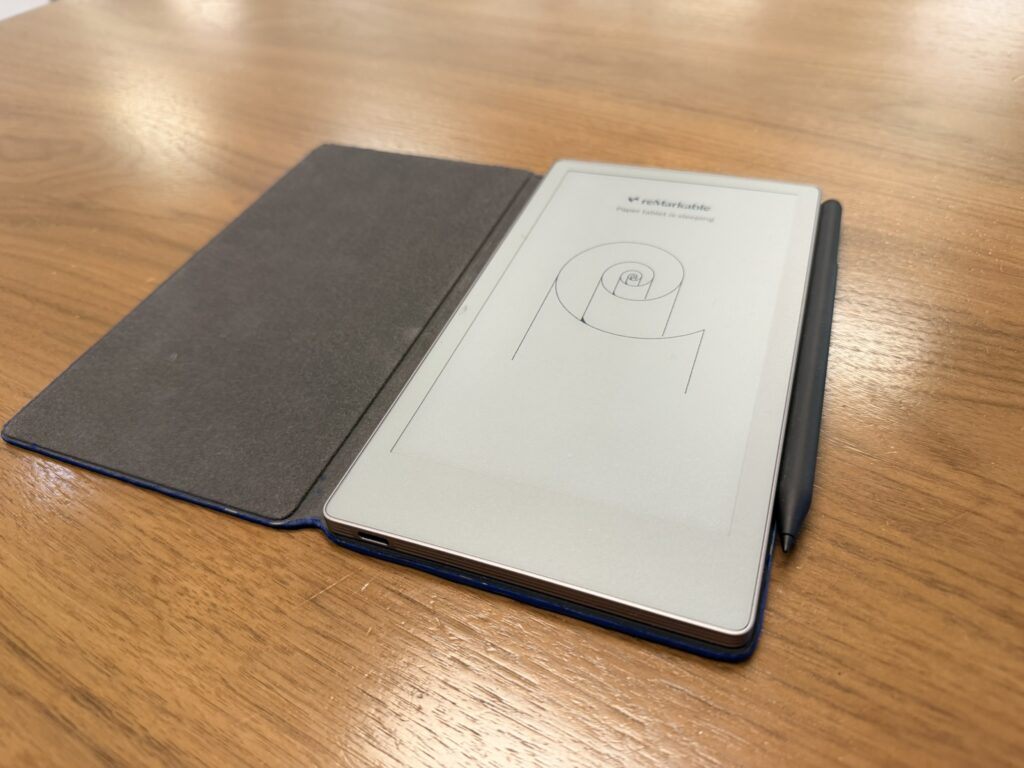
So today I’d like to discuss my love of the reMarkable Pro Move… BUT FIRST!!!!! LEGAL MUMBO JUMBO: I am in no way affiliated with reMarkable. If you choose to purchase this product because of this post, I mean, AWESOME — but I don’t get anything other than the smug satisfaction of knowing that I’m the one who turned you onto this product. We all good? Sweet… ON WITH THE POST!
Ok everyone, I’ve been working and living with both my reMarkables (actually there are three of them, but two are the same kind in different locations… long story), and I have to say: having the Pro Move — the smaller, more portable version of the reMarkable tablet — is a really handy thing to have. Now, I’m a notes person. I make notes about damned near everything. I say it’s because my brain is made of swiss cheese and stuff falls out (which is kind of true). It’s also because I don’t like having to remember every meeting, every task I get assigned, or every random idea that floats through my head. It’s too much information to hold in there, so I write it down. The standard reMarkable is great for making notes when you’re sitting in place, but the Pro Move is great when you’re on the go.
reMarkable Fits in Your Pocket
For a long time, I would buy those little Moleskine notebooks and keep them in my back pocket (or the pocket of my suit jacket) and write down whatever came to mind. The standard reMarkable is great for taking notes, but the Pro Move actually fits in your jacket pocket, which is super convenient for me. There have been a number of times when I’m wandering around, I have an idea, and I can jot it down on the Pro Move and then put it back in my pocket. I’ll be honest — it doesn’t happen a lot, but when it does… man oh man, it’s super convenient.
The Flip Screen Is a Delight
I have to do a bit of a mea culpa here. When I first got my Pro Move, I noticed I could adjust the screen from portrait to landscape and the text would move along with it. At the time, I thought it was super cool and I was like… why the hell doesn’t my regular reMarkable do that? Turns out: it does. It can. I just didn’t have the option toggled on. Either way, I really like being able to flip the thing sideways because when I do, it’s nearly the same width as the standard reMarkable. And if I’m just jotting down a couple of notes real quick (which is usually how it works for me), a couple of lines here or there is really all I need.
The Aspect Ratio Change Isn’t Fantastic… But It’s Workable
I’ll admit: when I was ordering my Pro Move, I was a bit concerned about the page size difference. When I went from the reMarkable 2 to the Pro, I found that because the screen size was a little different, the aspect ratio (or how big the font was) changed significantly enough that I found it difficult to work between a reMarkable 2 and a Pro. That being said, while there is some difference in how the page layout and aspect ratio show up between the two devices, it’s still workable. I find that when I make a new page for note-taking on the Pro Move, the notes are fine — but then I go back to my proper Pro and there’s always a little margin on either side that I can’t write on. I’m going to give reMarkable the benefit of the doubt on this one and assume there may be a software update down the road sometime.
The trick with having a notebook on you is that you’ll find you write notes more often the more you keep your notebook on you. If you have a product like the reMarkable Pro Move, you’ll find that you’ll be making more notes the more you use it. I got one for my wife recently, and now I find they have it with them nearly all the time. It’s great for taking notes on the go — and if nothing else, it’s a great way to access all the incredible features reMarkable is able to offer without having to worry about carrying around one of the big ones. If you’re big on portability, this is a product I would recommend.
How do you take notes on the go?
Let me know in the comments section below. If you like this blog post and want to see more, you can follow me on Social Media (LinkedIn, Instagram, Blue Sky and Facebook @jasonlovefiles) or Subscribe to my blog to get new content delivered directly to your mailbox.