


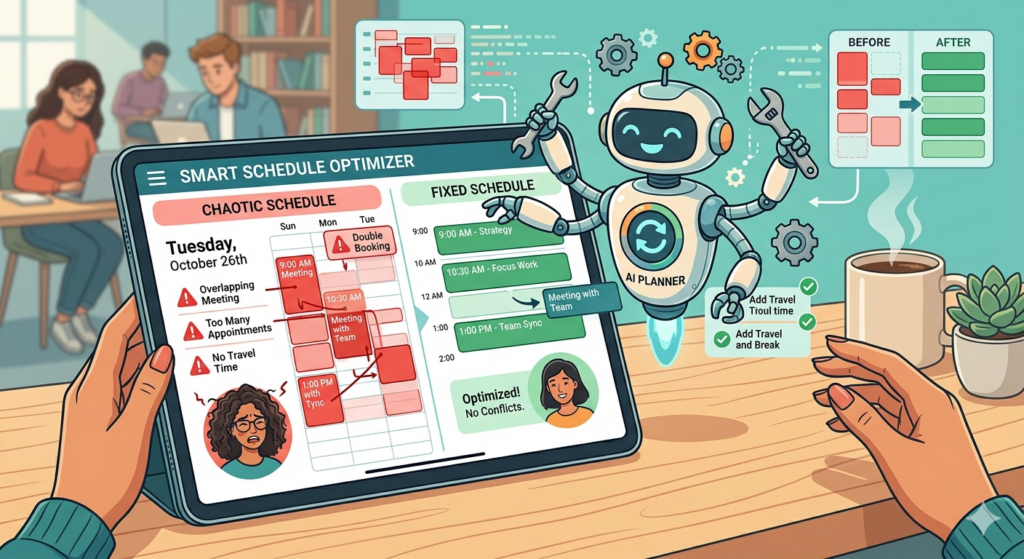
Ok, so here’s the thing. There was a time in my life when I was just roaming the earth, doing the tasks that I could do, and not really paying that much attention to the details. I’ll be honest, there are days where it still feels like that. That being said, I feel like I’m WAY more productive now than I’ve ever been. The reason? I love some tools which keep me productive. One of the keys for that is making sure that I automate my life as much as humanly possible. It used to really bother me when I was younger and didn’t have all the tools that I have today. I was constantly thinking about the stuff that I needed to get done. I didn’t like how I always felt behind on everything, but at the same time I also didn’t feel like I had any way to get my butt in gear and get going. Now, however, I do.
Using your calendar is a great start
When I realized that I wanted to know how productive I was (and more to the point, be able to know exactly what I wanted to get done), I started with using my calendar. At the time I was working in an office so it was much easier for me, as my calendar was practically shoved in my face at all times. If I had a task that I needed to get done, I would schedule time in my calendar for it. What I like about this system is that scheduling a time to get tasks done makes it so that you know WHEN you have to do a task, so the rest of the time you can dedicate to other stuff. At that time, I didn’t have a lot of meetings, so I found it easy to schedule my time this way. This worked for a while, but after a period of time my calendar looked like it was constantly booked because I had so much to do throughout my day. When I started to have more and more meetings with colleagues and clients, they would have a hard time finding time when I didn’t look like I was in meetings because my time was booked by the tasks that I had to get done.
Todo lists are your friend
We all know I’m a MAAAAAASIVE todo list junkie. What I love about the digital todo lists that I have used (and continue to use) is that if I am inspired by something that needs to get done, I can put it on my todo list right then and there, and then make sure that it shows up later that week or the following day. It’s critical if you want to automate your todo list that you assign due dates to all of your tasks. Equally as critical is to make sure that the dates you assign are spread out enough so that you don’t crash and burn on a major project (this is the voice, or blog rather, of experience talking here). There have been many times when I have thought of a big project that I want to get done and thought, “Well, I can get it done in 2 weeks,” and then failed every time I can’t complete a task.
Part of automating your life and your todo list is making sure that you can compensate for the added tasks in your life. If you don’t have time to do stuff in a day, then it won’t get done, and if it’s not done you will risk feeling like a failure for it (again….the blog of experience over here). I have a long and terrible history of having big ideas and not following through because I can’t spread out the tasks so that I can get them done. Your todo list is so helpful for this because you can see not only your “Big idea” tasks, but when they are lumped in with everything else you can see if the big idea really fits your life, or if you need to change the plan slightly so that you can make room in your life for it.
Combos for the win
While I have given you two different tools in this post that you can use to help automate your life, that doesn’t mean you have to use one or the other for it to work right. I have found that I like to have a combination of both so that I can make sure that I keep myself moving forward. On occasion, I will actually make it so that one bounces off the other and vice versa. There have been times when I’ve had big meetings coming up and I need to review certain material before I go. When this happens I will see the big meeting in my calendar, and then put something in my todo list like “Review material for the Big meeting” a day or so before the big meeting happens. That way I can properly digest the info that I need to have when the meeting comes up.
I have also done this for when I’m working out. Occasionally I get weighed when I’m at the gym to tell if I’ve made any progress in my diet. My trainer tells me that it’s important to have minimal food and beverage before the weigh-in as to not mess up the readings from the machine, so I have the workout day in my calendar and then put something on the day in my todo list like “NO FOOD OR WATER BEFORE WORKOUT!!!!” so that I know what I’m supposed to do. There are also times when I have to remember to do something specific, and I use an alarm on my phone to ensure that I’m on time (more on that next week).
Automation, for me, is all about preserving cognitive load. If I don’t have to think about what I’m doing on a daily basis, my life becomes so much simpler. There are two options for you here. You can either keep all the tasks in your head and try to figure out which ones need to be done in what order at what time and try to make sure that everything happens all the time forever and OH MY GOD WHAT THE HECK HAPPENED TO MY TIME!!!!?!?!?!?
or…..
You can plan out your projects, assignments, tasks etc. and put everything in the tools you use to help with your life and not worry about it because it’s all in your tool set. Personally, I don’t worry about what I have to do in a day because I am so tuned into my todo list. absolutely everything that I need to do, gets put on my todo list. That way I can take the philosophy of “if it’s not on my list, it’s not my problem.” I am always adding stuff to my list so that it comes down the pipe eventually, but once a task is on the list, I typically don’t worry about it until it’s time to actually get it done. Knowing what tools are available to you and the best ways to use them is the first step in making sure that you have an automated and organized life.
Do you struggle with automating your life?
Let me know in the comments section below. If you like this blog post and want to see more, you can follow me on Social Media (LinkedIn, Instagram, Blue Sky and Facebook @jasonlovefiles) or Subscribe to my blog to get new content delivered directly to your mailbox.