
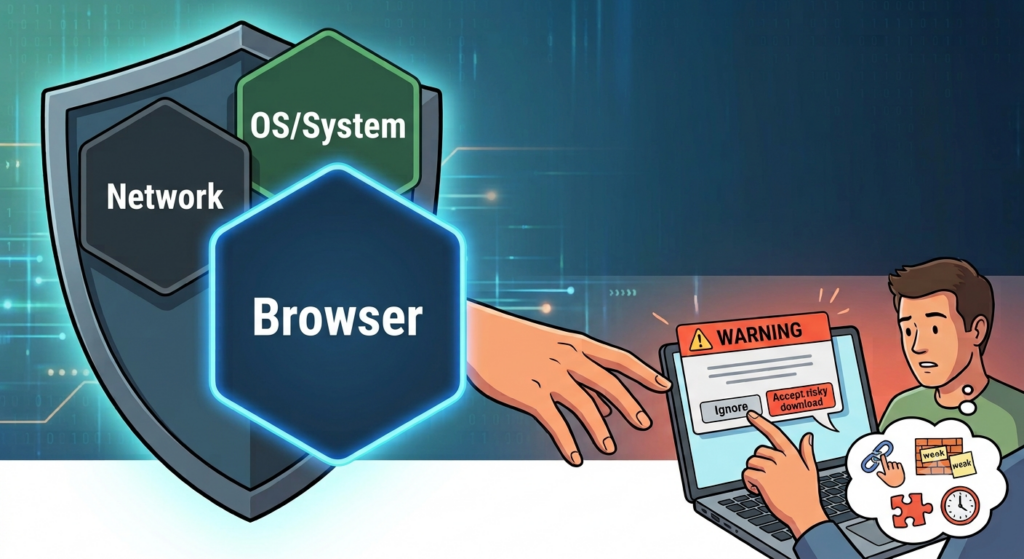
We are all online. We all use email, we all have antivirus, and we all (hopefully) have complex passwords. The thing that needs to be part of how you manage your security is the tools you use to access everything online. This includes your browser. I want to make something absolutely clear: I’m not picking on one browser over another. I know that I have promoted certain products over others throughout the years, but this is more of a general advice issue than anything else.
Why your browser is such a big target
It may be hard to imagine seeing your browser as anything other than a way to get you online, but the fact of the matter is that it’s so much more than that. In the old days, yes, you could JUST access the internet through your browser, but as the internet has grown way beyond what it was originally and our interactivity has exploded, your browser has been forced to keep up.
You can store all manner of data in your browser. You can store passwords, your home address, your credit card information, and any number of other pieces of PII (or Personally Identifiable Information) that could be out there. Because most browsers now require some sort of login so that you can customize everything you need while online, if that login gets hacked, that could be very, very bad.
How to use extensions properly
Part of the browsing experience is about app extensions. There are add-ons to your browser that allow you to access other apps while in your browser. Do you need to save something you saw online to your notes? There is an extension that will add the webpage to your notes for you.
Extensions are great, but they need to be managed properly. First of all, make sure that the extensions you have on your browser are linked to things that you are actually using. If you have an extension on your browser for a program you don’t use anymore, then it’s important to make sure that you delete that extension. If you don’t, you could be leaving your browser open to attack through that app extension. Don’t get me wrong, I like (and frankly use) some app extensions. I just manage my extensions and limit them to only the ones that I use heavily.
Use a password manager instead of saving to your browser
This, I will admit, is my most frequently used app extension. I never save passwords in the browser’s native password manager. Instead, I have made it so that every password gets saved directly to my password manager. This, if nothing else, is the one thing that I would advise you do to secure your system.
Having a password manager in general makes it easier to, well, manage your passwords. You don’t want to have some of your passwords in your browser and some in your manager. It’s easier to make your password manager the “source of truth” so that any passwords you set up get saved there. Also, if something happens to your browser, your passwords are one step removed, so hopefully they will be secure.
Your browser is your access to the internet, but because it’s also how you access everything, it needs to be protected. It’s important to treat how you get access to your information as part of your security stack so that you put the protections required in place to access everything online safely. If you don’t take proper precautions, then you leave your system open to infiltration. Because your browser stores information that could compromise your system, you need to ensure that you know what data it’s trying to save for you automatically and make sure that you are securing that information somewhere else.
What data are you keeping on your browser?
Let me know in the comments section below. If you like this blog post and want to see more, you can follow me on Social Media (LinkedIn, Instagram, Blue Sky and Facebook @jasonlovefiles) or Subscribe to my blog to get new content delivered directly to your mailbox.