
Fair warning: I have a bit of a bug up my ass, and I need to get rid of it, so if this seems like a bit of a rant, I do apologize.
There is nothing worse, speaking as an information manager, than a poorly organized filing system. I have been working with filing systems for nearly 20 years now, and for the life of me, I can’t conceptualize the logic behind not having a filing system organized as much as possible. TO BE CLEAR, I definitely have some disorganization in my system, but 99% of it is actually really well organized. I have seen how some other people “organize” their files, and sometimes I’m impressed, sometimes I try to make some helpful suggestions, and sometimes I do have to leave the conversation because of an eye twitch I developed while the person was trying to explain their system to me.
1) Sorting through files is tricky when done digitally – When I started working with filing systems, the one that I was tasked with managing was hard copy. This meant going through hundreds of sheets of paper a day in order to get it organized. Here’s the issue: when everything is printed off, you can generally recognize your documents by sight. Things will generally look like telephone bills or letters from Mom, that kind of thing. In THAT sense, it’s easy to manage that because you can recognize it by giving the document in question a cursory glance. Not so when you’re dealing with a digital system. Let’s assume for the moment that all of the files in your digital filing system are all Pdf’s, and in that case, it’s so much harder to know what they are on sight, because they all look the same.
2) Things get lost way faster – I remember once I was dealing with a person who “lost some files.” The person in question couldn’t find them in their filing system and was deeply concerned because they were organizing everything, but some folders and files had gone missing. I asked the person if they had perhaps, by accident, moved some of the folders and made the folders subfolders somewhere else. The instant response was “oh, I never do that,” which prompted me to do some poking around the person’s system and lo and behold, I found the folders in question had become a subfolder somewhere else. I restored the folders to the previous location, and the person was thrilled. The point of this little parable is that it is SUPER easy to lose files even in your own filing system, so it’s important to have a structure which is easy to navigate and makes it so that even if you lose files or folders in the moment, you will be able to find them again.
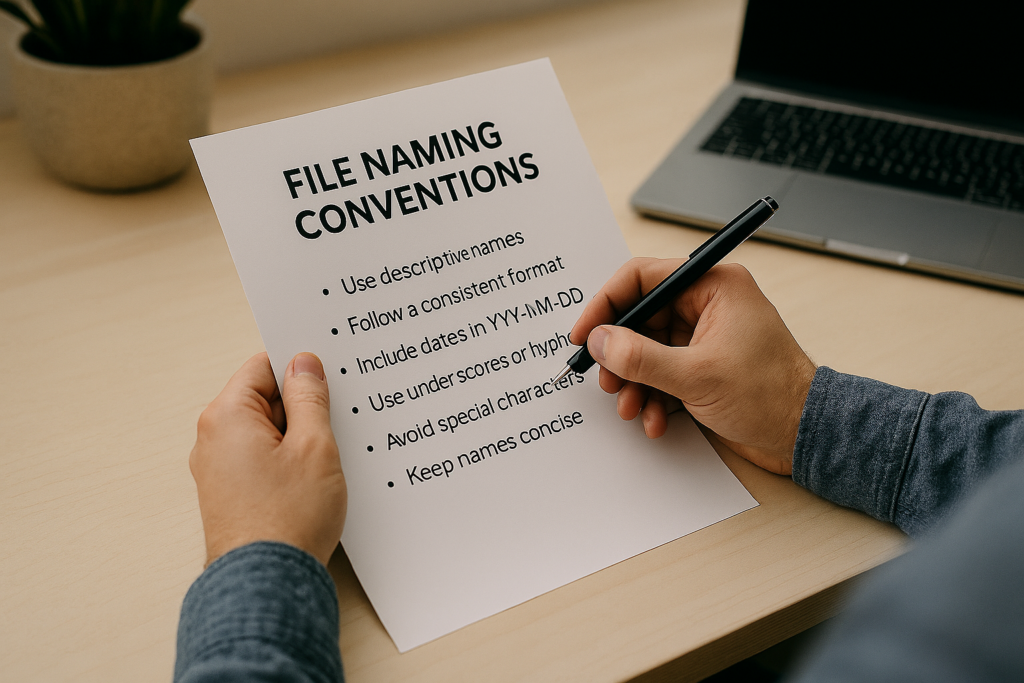
3) You NEED a system – I have said this on the blog before, but it’s worth repeating. You need a system to organize your files. For clarity, I’m not talking about using a service like OneDrive or iCloud to store your files (though that does help), or about storing other data. I am actually referring to a system whereby when a file comes into your system. I’ll be talking about this more next week, but having a proper methodology for storing your data is critical if you ever want to find it again, and the main key for that system should be your file naming convention (or system). If you use a standard file-naming convention, you can both know what your files should be called when they go in and automatically identify where they are supposed to go.
It drives me totally batty when people say to me, “Well, it’s no big deal if my files aren’t organized, I’ll probably be able to find them if I really need them.” My question to them usually goes something like “If you have no idea where something is, how are you going to find it?” When I was a kid, my mother always said, “A place for everything, everything in its place,” which is a phrase I use in my daily life now. Particularly when it comes to filing digital documents, it’s critical that you know where things are and what goes where. Not for nothing, but she actually has the most organized filing system I’ve ever seen in my life. Keeping your data is a good thing; making sure it’s organized is much, much better.
How do you name your files?
Let me know in the comments section below. If you like this blog post and want to see more, you can follow me on Social Media (LinkedIn, Instagram, Blue Sky and Facebook @jasonlovefiles) or Subscribe to my blog to get new content delivered directly to your mailbox.
I always name a file starting with the date in this format – 2026 4.07
Helps to order everything…..
Great article
Jon
Thank you so much for your comment. It’s great to see that this can be common practice